Skip to content

Warzone VPN on PC, PS5 and Xbox

Warzone VPN. Easier lobbies, steadier ping.

Pick where you queue and when, read your route before you load in, and play Warzone on PC, PS5 or Xbox. All in one Versus VPN subscription.

PC, PS5 and XboxOne subscriptionSet up in the Versus VPN app

Warzone artwork © Activision. Versus is not affiliated with Activision.

Which setup is yours?

Call of Duty easy lobbies on PC, PS5 and Xbox. Start with the Versus VPN app, add Versus DNS or Console VPN for your console, and set all of it up from one place.

One subscription. All three setups.

Your Versus VPN plan includes the app, Versus DNS and Console VPN. No extra plans, no add-ons.

See plans
DNS setting

Versus DNS

No PC needed

One DNS setting on your console. Nothing to install on it, no cable, no second device.

  • Works on PS5, Xbox and PC
  • Configure it in the Versus VPN app or your Versus dashboard
  • Call of Duty is routed for easier lobbies
Ethernet
Windows PC
Routed

Versus Console VPN

Uses a Windows PC

Your console plugs into a Windows PC, and the Versus VPN app routes Call of Duty through the region you choose.

  • For PS5 and Xbox
  • One ethernet cable from console to PC
  • Pick the exact region in the Versus VPN app

All three cover Warzone, Black Ops 7 and Modern Warfare 4. Warzone included.

What each setup gives you.

Same lobbies, same subscription, different hardware. Pick what matches your desk or the space under your TV.

Versus DNS

No PC needed
  • You needJust your console
  • Plays onPS5XboxPC
  • Set up inThe Versus VPN app or your dashboard
  • Extra toolsNothing to install on the console
  • SubscriptionIncluded
Use Versus DNS

Versus Console VPN

Uses a Windows PC
  • You needConsole, Windows PC and a cable
  • Plays onPS5Xbox
  • Set up inThe Versus VPN app on your PC
  • Extra toolsRegion of your choice
  • SubscriptionIncluded
Use Console VPN

Set up Versus DNS in a few minutes.

No download and no cable. You get your Versus DNS address after checkout, then change one setting on your console.

  1. Step 1Open Network settings

    Go to Settings, then Network, then Settings.

  2. Step 2Edit your connection

    Choose Set Up Internet Connection, highlight your network and press Options, then Advanced Settings.

  3. Step 3Switch DNS to manual

    Set DNS Settings to Manual.

  4. Step 4Enter your Versus DNS

    Type the Primary DNS address you get with Versus DNS, then press OK.

  5. Step 5Restart Call of Duty

    Let the PS5 test the connection and start the game again.

Warzone region guide

Drop in with a plan.

Warzone matches are long and lobbies are huge, so a route that drops packets mid-fight costs more than a few extra milliseconds. Pick Warzone in the Versus VPN app, save its own region, compare the route readings before you drop, and check the Sweat-O-Meter for that region's local time.

On PS5 or Xbox, Versus DNS and Console VPN route Warzone for you. Set them up in the Versus VPN app, or set up Versus DNS in your Versus dashboard.

How Call of Duty bot lobbies work
Warzone gameplay

Inside the app

Every tool for Warzone.

The Versus VPN app on Windows brings route readings, regions and lobby planning together.

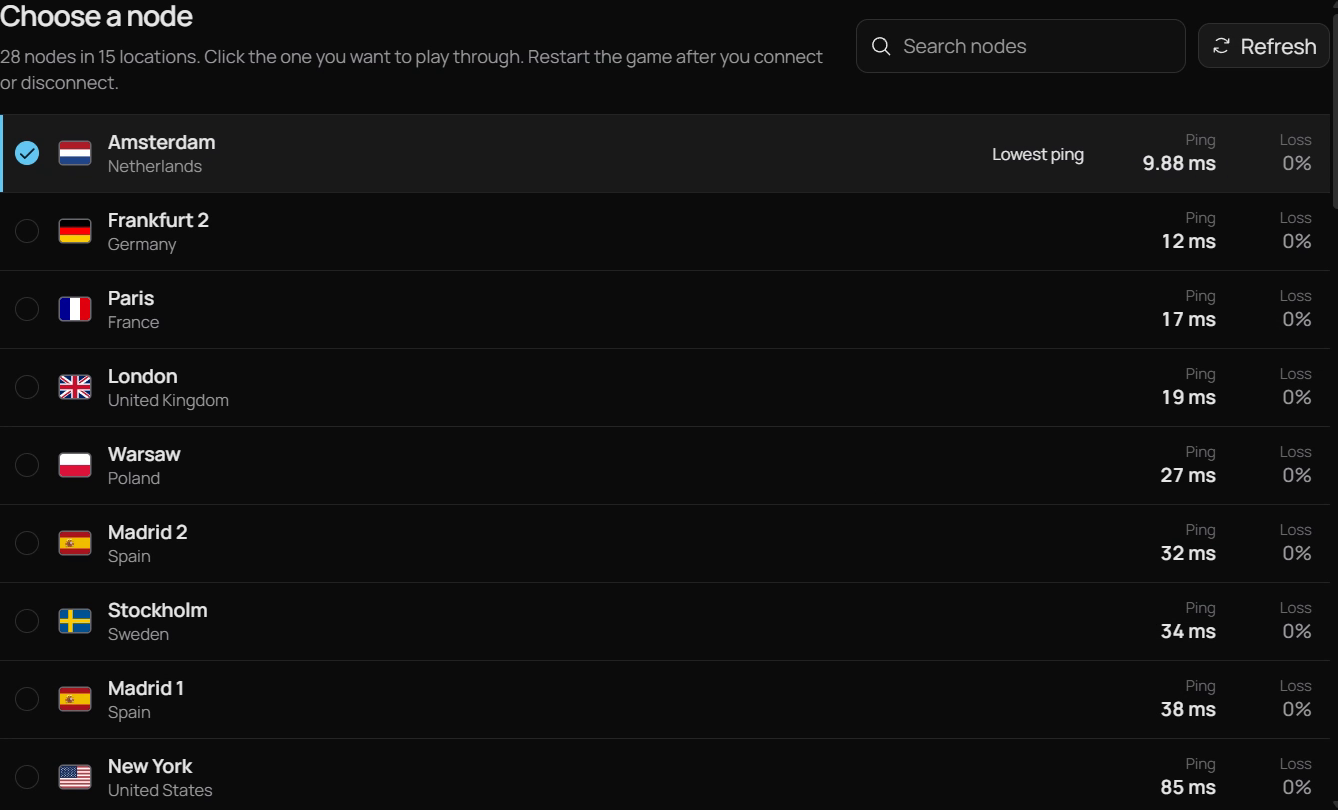
Versus VPN node list with ping and loss for each location

Ping Boost

Read the route before Warzone does.

Warzone lobbies hold up to 150 players and long matches, so a route that drops packets mid-fight costs more than a few extra milliseconds. Versus VPN shows latency, jitter and packet loss side by side for each route.

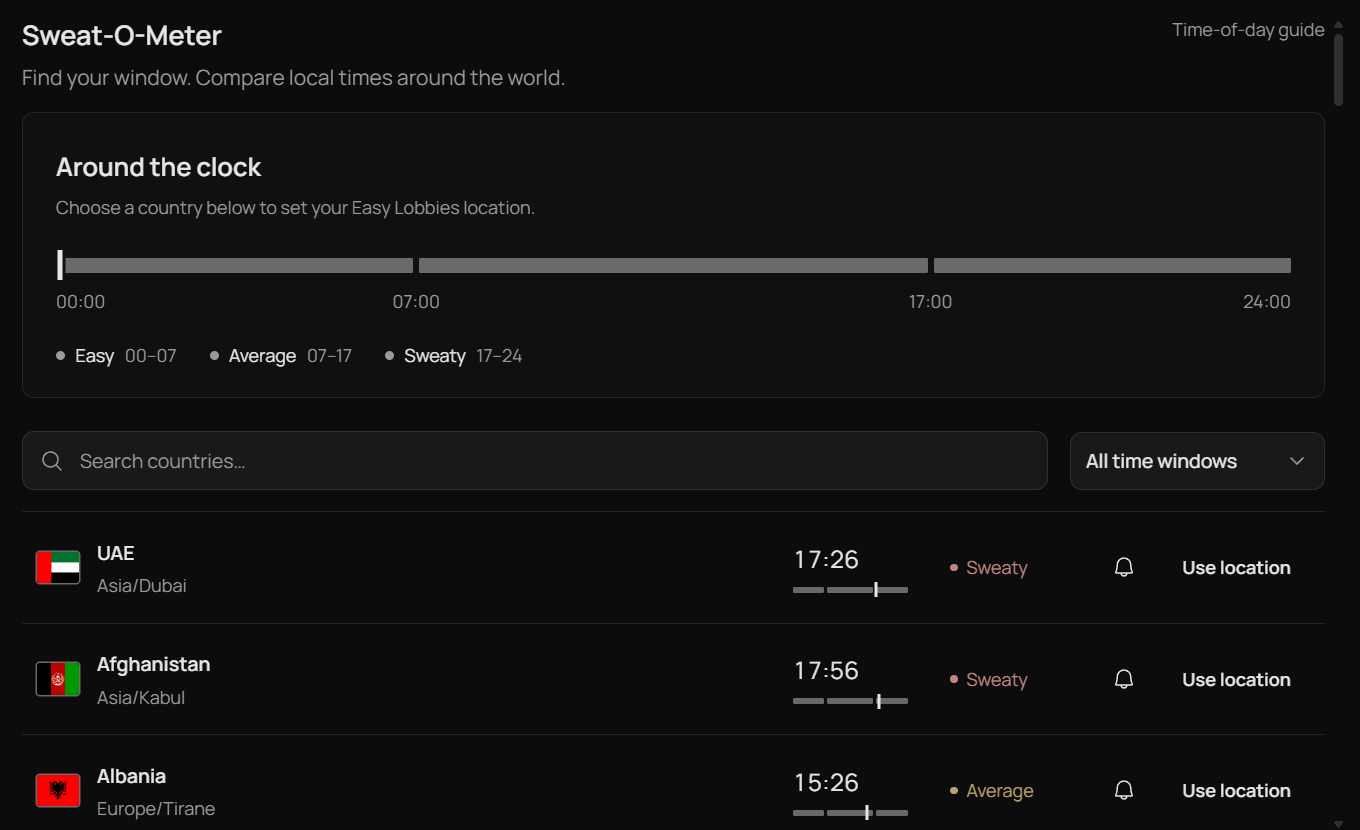
Sweat-O-Meter showing local times and how busy each country is

Sweat-O-Meter

Find the quieter hours.

Every region shows its local time and how busy it usually is, so you can see where it's early morning and where the evening grind is starting.

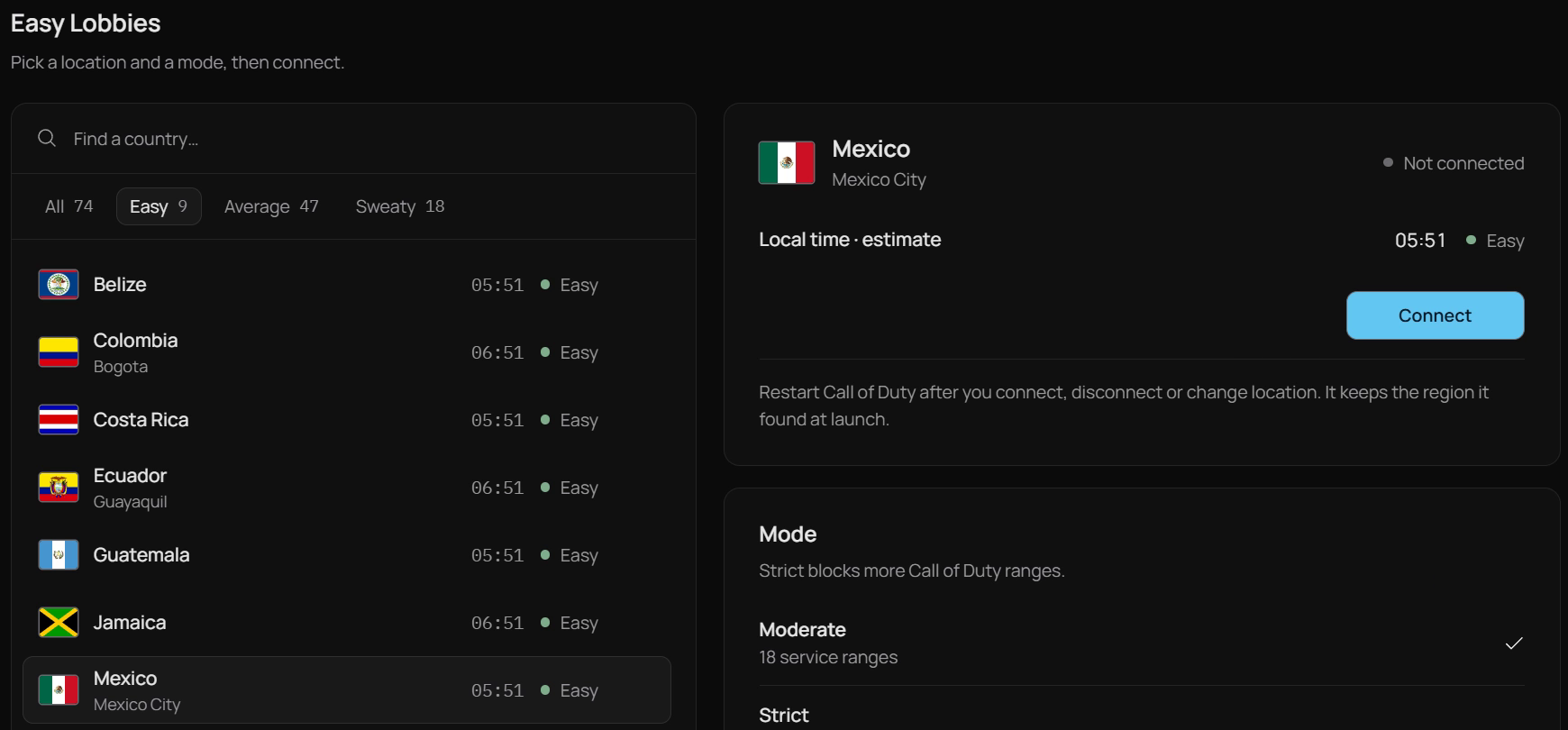
Easy Lobbies locations rated by local time, with Moderate and Strict modes

Easy Lobbies

Presets built for Call of Duty.

74 lobby locations rated by local time, a Moderate or Strict mode and a geo-fence. They're only available for Warzone, Black Ops 7 and Modern Warfare 4.

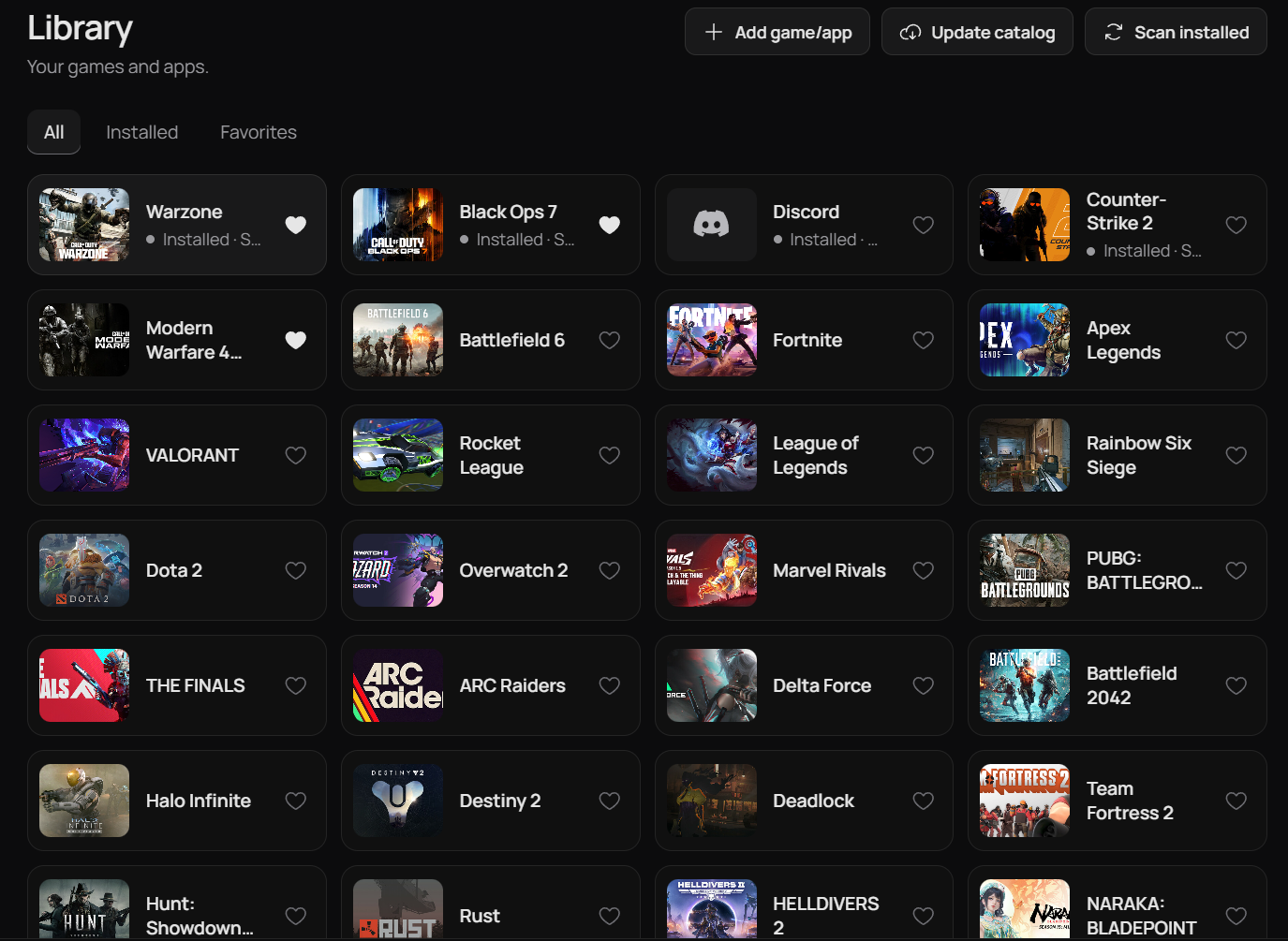
Versus VPN game library

Game library

A saved region just for Warzone.

Each game keeps its own route and region, so switching between Call of Duty titles never resets your setup.

Across Call of Duty

One account. Every CoD.

Warzone, Black Ops 7 and Modern Warfare 4 each keep their own saved region and Easy Lobbies setup.

WarzoneLive
Black Ops 7Live
Modern Warfare 4Launching

Plans

Get Warzone ready.

One Versus VPN plan covers PC, PS5 and Xbox: the app, Versus DNS and Console VPN, all included.

Loading current plans…

Questions

Warzone VPN, good to know.

Straight answers, including what Versus can't do.

Does Versus VPN support Warzone?

Yes. Call of Duty: Warzone has its own profile in the Versus VPN game library, with a saved route and region.

Which region should I pick for Warzone?

Start with the region closest to you and compare it with one or two others in the Versus VPN app. Keep the one with the steadiest latency, jitter and packet loss for the hours you play, then check the Sweat-O-Meter for quieter times.

Can Versus get me Warzone bot lobbies?

Versus helps you plan easier lobbies. Easy Lobbies presets, the Sweat-O-Meter and region choice change which pool you queue in and when. Nothing can switch SBMM off or guarantee a lobby, and anyone who promises that is selling you something. How bot lobbies work.

Does Warzone have SBMM?

Yes. Call of Duty uses skill-based matchmaking alongside connection quality. A VPN doesn't remove SBMM, but region and time of day change who you're matched with. SBMM explained.

Will a VPN lower my ping in Warzone?

Sometimes. A better route can help when your normal path is congested or unstable, and a far-away region will add latency. Versus VPN shows latency, jitter and packet loss before you connect, so you decide with real numbers.

Is using Versus in Warzone bannable?

Versus VPN changes your network route and doesn't modify Warzone's files, memory or inputs. Publishers decide how their rules apply to VPNs and remappers, so check Activision's current terms for the mode you play. We won't promise anything is "unbannable".

Does Versus work for Warzone on PS5 or Xbox?

Yes, and it's all in the same Versus VPN subscription. The Versus VPN app is for PC. Versus DNS needs only one DNS setting on your console and no PC, set up in the app or your Versus dashboard. Versus Console VPN routes your console through a Windows PC with an ethernet cable. Compare the three setups.

Warzone on PC, PS5 and Xbox

Your region.
Your Warzone lobbies.

Set up Warzone once in the Versus VPN app and keep it ready for every session.

Get Versus VPN Windows 10 / 11 · Account required · Cancel any time