Vai al contenuto

Versus VPN guide

Lower ping. Measured, not promised.

A better route can lower ping when your normal path is congested or unstable. Here's how to find out with real readings, and when a VPN won't help.

Windows 10 / 11One subscription

Game artwork © its publisher. Versus is not affiliated with Activision.

How to lower your ping, step by step.

Practical steps that work on your own connection. Measure first, change one thing at a time, and keep what's actually better.

1. Remove your own network from the equation

Before blaming anything else: use a cable instead of Wi-Fi, stop anything uploading in the background, and check whether the problem appears only when someone else is streaming or downloading. If a cable fixes it, a VPN will not.
2. Measure the right thing

An internet speed test does not measure your game route. Read the in-game ping and packet-loss figures, and play several matches to see whether the number is steady or spiking. Steady-but-high and low-but-spiky are different problems with different causes.

3. Read packet loss separately from ping

Packet loss is what produces rubber-banding, shots that do not register and deaths behind cover. It can happen on a low-ping connection. Note whether loss appears constantly or only during busy moments - constant loss usually points at your route or your line, occasional loss often points at server load.

4. Choose your server region deliberately

If the game lets you pick a region, pick the closest one, then verify it with the in-game figures rather than assuming. Some ISPs route badly to a nearby city, and a slightly further region can measure better. That is a test, not a rule.

5. Only now consider a different route

If steps 1 to 4 leave you with a route that still detours or drops packets, a VPN can take a different path. Test it exactly as before: same game, same mode, same hour, control run first. If the numbers do not improve, keep the VPN off for that game - there is no benefit in paying latency for nothing.

6. Keep what worked

Once a route and region measure well, save them against the game so the setup is repeatable. Versus stores the preference per game, so tuning one title does not disturb another.

One subscription for every game.

Lower ping runs through the Versus VPN app on Windows. The same plan also covers Call of Duty on PS5 and Xbox with Versus DNS or Console VPN.

One Versus VPN plan. Every setup included.

The app, Versus DNS and Console VPN, with no extra plans or add-ons.

See the setups

Inside the app

The tools behind every reading.

Route readings, regions and per-game profiles in the Versus VPN app on Windows.

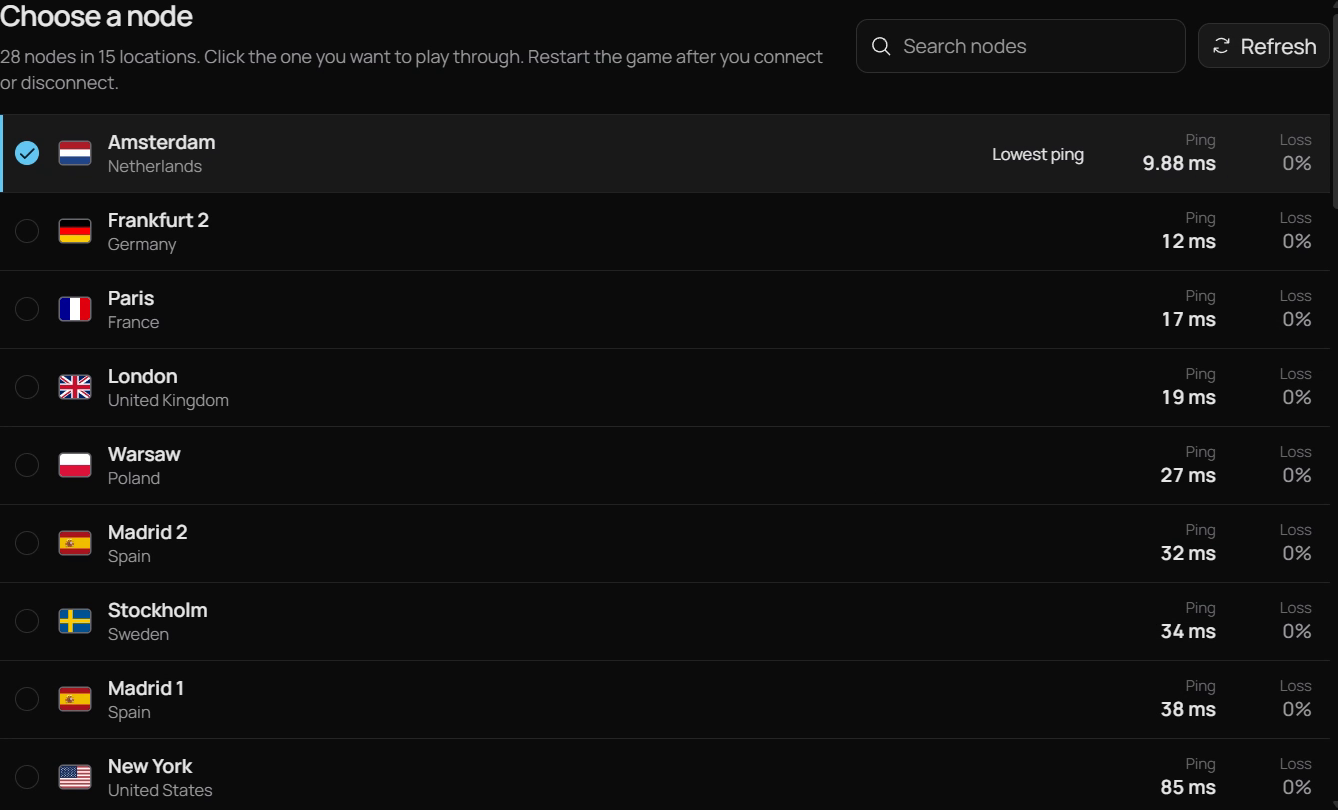
Versus VPN node list with ping and loss for each location

Ottimizzatore del ping

Read the route before Battlefield 6 does.

Big Battlefield servers punish packet loss before they punish ping. A steady 70 ms often plays better than a 40 ms route that drops packets in a firefight, so Versus VPN shows all three readings for each route.

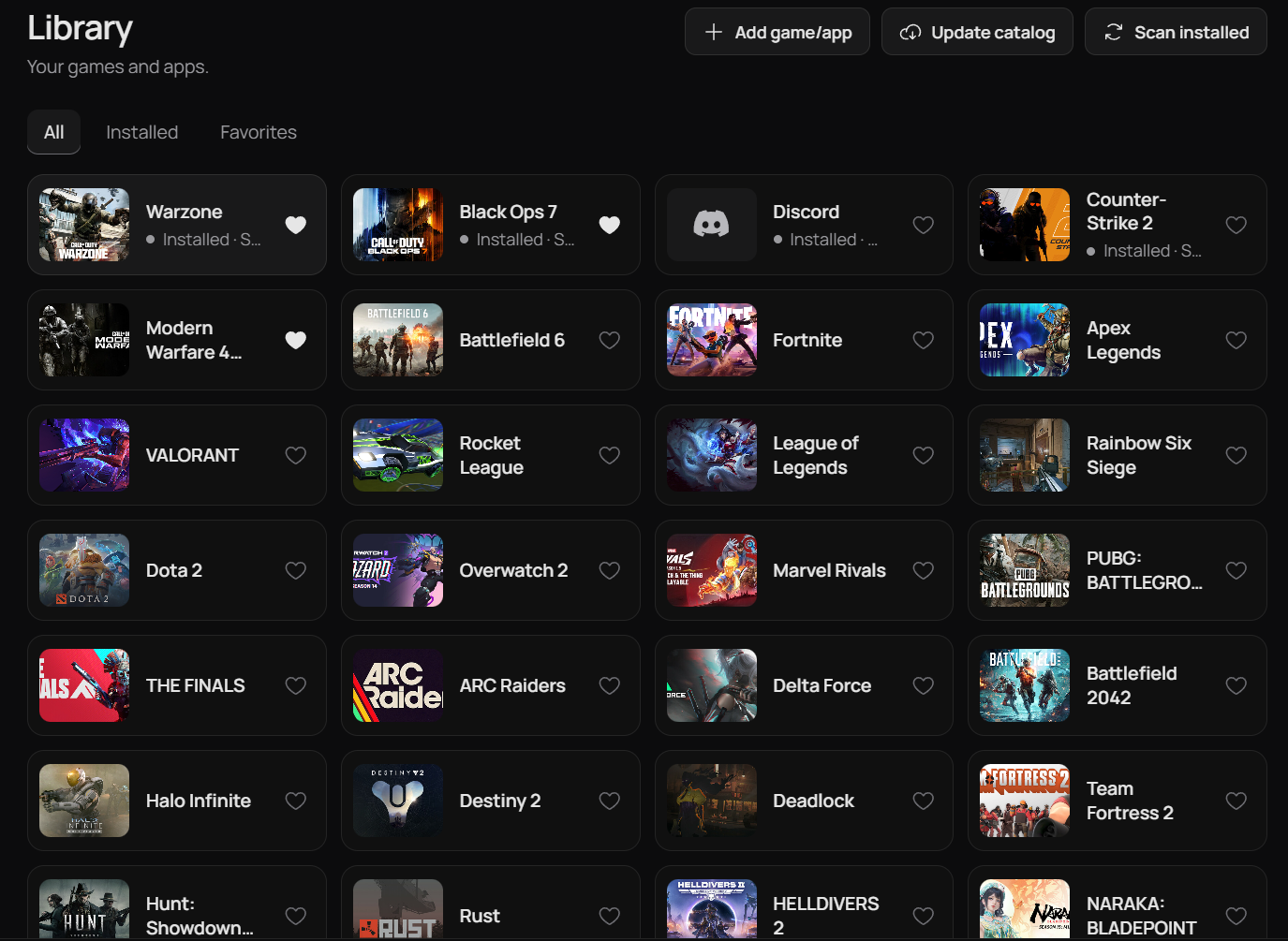
Versus VPN game library

Libreria giochi

A saved route just for Battlefield 6.

Battlefield 6 keeps its own route and region, and Versus applies it when the game starts, so you never set it up twice.

Piani

Get Versus VPN.

One Versus VPN plan covers every supported game, plus Versus DNS and Console VPN for Call of Duty on PS5 and Xbox.

Caricamento dei piani…

Questions

Lower ping, good to know.

Straight answers, including what Versus can't do.

Can a VPN lower my ping?

Sometimes. It helps when your normal route to the server is taking a poor path, and it hurts when your ISP already routes you well, because it adds a hop. Measure before and after; no honest source will promise you a number.

What is a good ping for gaming?

For most shooters, a stable figure under about 60 ms plays well, and stability matters more than the raw number. Packet loss and jitter often hurt more than an extra 20 ms of latency.

Why is my ping high only in some matches?

Usually because you were placed on a different server, often in another region. Check which server or region the game reports for that match before changing your setup.

Does a VPN fix lag spikes?

Only if the spikes come from your route. Spikes caused by Wi-Fi interference, a saturated upload or an overloaded game server will not improve.

Is a game accelerator better than a VPN for ping?

They do different things. An accelerator tunes traffic for specific games; a VPN changes the path your traffic takes and also handles region choice. Which helps you depends on where your problem actually is - which is why the checklist above starts with measurement.

Does Versus work for Call of Duty on PS5 or Xbox?

Yes, and it's all in the same Versus VPN subscription. The Versus VPN app is for PC. Versus DNS needs only one DNS setting on your console and no PC, set up in the app or your Versus dashboard. Versus Console VPN routes your console through a Windows PC with an ethernet cable. Other games use the Versus VPN app on Windows.

Versus VPN for Windows

Measure it.
Then keep it.

Set up Versus VPN once and keep your routes ready for every session.

Get Versus VPN Windows 10 / 11 · Account required · Cancel any time